FedEx SOAP Retired June 2026 — The 15-Minute Migration Guide for WooCommerce Stores
FedEx turned off its legacy SOAP web-services API on June 1, 2026. If your WooCommerce store still runs an old FedEx plugin built on SOAP, three things probably happened the morning after:
- Live FedEx rates stopped showing at checkout.
- Tracking numbers stopped updating.
- A non-zero number of customers either bounced or paid the wrong shipping cost.
This guide is the 15-minute fix. No marketing fluff — just the four checks to run today, three migration paths in order of effort, and the safety net pattern that keeps checkout running while you migrate. Written from inside a 6-month rebuild against the SOAP retirement window.
Finding this in August 2026? Size the damage before you fix anything
The cutover date is now more than two months behind us. If your FedEx rates are still dead, the store has not been broken since this morning — it has been quietly losing checkouts since June 1, and nobody filed a bug because a missing shipping option does not throw an error. It just ends the session.
Before you touch a plugin, spend five minutes putting a number on it. In WooCommerce, open Analytics → Orders and compare FedEx-eligible order volume for June and July against April and May. Then check WooCommerce → Status → Logs for fatal or fedex entries in the same window. The gap between those two months and your normal baseline is roughly what the outage cost, and it is the number that decides whether you install the ten-minute fallback in Step 3 tonight or schedule a proper migration for next sprint.
One thing that gap does not cost you: order history. Shipments already booked under SOAP, and the tracking numbers attached to them, are unaffected — those live in FedEx’s system, not in your plugin. See “Will I lose my existing tracking numbers?” below.
FedEx rates not showing at WooCommerce checkout — match your symptom first
Most people land here because something broke, not because they read a FedEx release note. Find the line that matches what you are seeing:
| What you see | What it actually means |
|---|---|
| Checkout shows “No shipping methods available” on every FedEx-eligible cart | The rate call returned nothing and your plugin has no fallback. Confirmed SOAP breakage in almost every case. |
| Shipping line reads “FedEx — $0.00” | The rate request succeeded structurally but came back empty. Same root cause; the plugin is rendering the empty result instead of hiding it. |
| Rates work, tracking stopped updating | Track was a separate SOAP endpoint. Rates may already be on REST while tracking is not — the two migrate independently. |
Error log shows 410 Gone against a web-services URL | Direct confirmation. *.fedex.com/web-services/* is the retired SOAP host. |
Error log shows invalid_client 401 against apis.fedex.com | You are already on REST but using credentials from the wrong FedEx developer project. See Path 3 below — this is the OAuth scope trap, not the retirement. |
| Everything works, but only for domestic shipments | International rating usually breaks first because it depends on customs and Trade Documents endpoints that were also SOAP-fronted. |
Note the second-to-last row: not every FedEx failure in 2026 is the SOAP retirement. If your log says invalid_client rather than 410, you migrated already and the credentials are mismatched — a 10-minute fix, not a migration. Check the log before you rip anything out.
What actually changed at FedEx (in plain English)
FedEx ran two parallel APIs for years. The old one (SOAP / XML) is what most WordPress and WooCommerce plugins were built on. The new one (REST / JSON) has been the recommended path since 2024. On June 1, 2026 FedEx turned off the old one for production traffic. Sandbox is on its own retirement timetable — check the FedEx developer portal for its current status rather than assuming, and do not treat “my sandbox call still answers” as evidence that production does.
Practically: any plugin that calls a *.fedex.com/web-services/* URL is now hitting a 410 Gone or returning empty. Plugins that call apis.fedex.com/* are fine.
This is not a rumour. Check the FedEx developer portal release notes — SOAP retirement was published years in advance. Plenty of plugin authors did not act in time.
Step 1 — Check whether your store is affected
Three things to verify in less than 5 minutes:
- Open a recent test order in your WooCommerce admin and look at the shipping line. If it says “FedEx — $0.00” or “shipping unavailable”, your rate API is broken.
- Open WooCommerce → Settings → Shipping → Zones → FedEx. If there is no live-rates checkbox or it is greyed out, your plugin is fetching nothing.
- In your WordPress admin error log (or your hosting dashboard), search for
fedex,web-services, orSOAP. Recent 5xx or curl-timeout entries against a FedEx URL = confirmed.
If all three pass: you are probably already on REST and can stop reading. If any fails: keep going.
Step 2 — Three migration paths in order of effort
Path 1 — Audit your existing plugin first (5 minutes)
Some plugin authors quietly shipped a REST update without telling customers. Check Plugins → Installed Plugins for any FedEx-related plugin and click View details to see the changelog. If the latest version says “REST API support” or “API v1 migration” within the last year, just run the update. Reconfigure credentials per the new tab and re-test checkout.
Path 2 — Switch plugins (the path most stores end up on)
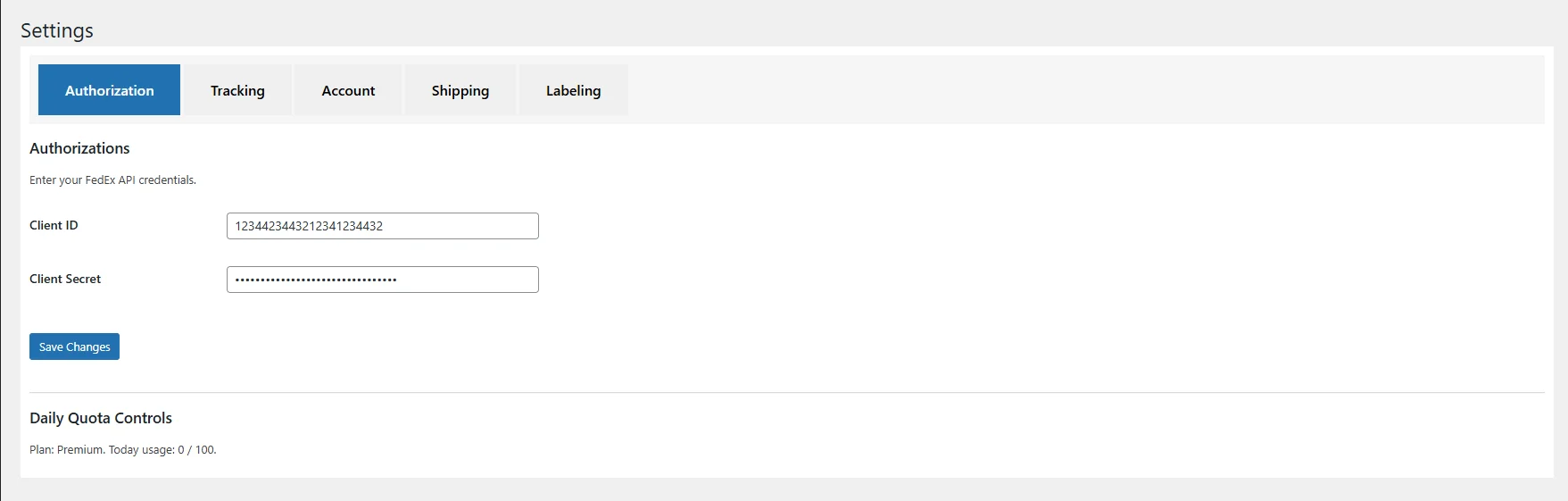
If your current plugin has not been updated for a year or more — especially the official Woo FedEx plugin which sits at 61% negative reviews on the marketplace — the safer move is to switch. The plugin we built and currently pre-sell, Fedex Shipping for WooCommerce, was designed exactly for the SOAP retirement window. Two pieces specifically for migrators:
- Migration Doctor — paste your old SOAP credentials and your new REST credentials in an admin tab. The plugin runs a dry-run probe against the FedEx sandbox for every API and shows you a per-API status matrix (rates green, tracking green, pickup yellow, etc.) before you flip checkout to live. Stateless — no credentials are saved to disk.
- Checkout Safety Net — wraps every FedEx HTTP call in a fallback. If FedEx returns 5xx or empty, checkout falls back to a configurable flat rate instead of breaking. Direct attack on the “plugin crashed my live site” class of 1-star reviews documented in our internal market-gap research.
If you want to compare against the next-most-cited Woo FedEx plugin before deciding, see PluginHive vs Teamz Lab — feature-by-feature comparison.
Path 3 — Build it yourself (only if you have engineering bandwidth)
FedEx publishes the REST API at apis.fedex.com. The tricky pieces are:
- OAuth scopes: FedEx issues two separate developer projects. The core project covers Ship / Rates / Address / etc. The tracking project covers Basic Track + the new Advanced Integrated Visibility (AIV) webhooks. Mixing tokens returns a misleading
invalid_client401. - AIV webhooks: HMAC-SHA256 signature over the raw request body. Verify the signature before you parse the body, or you will be vulnerable to spoofed webhook events.
- Rate response shape changed: account-specific discounts come back in a different node than SOAP. Rebuild your discount-priority logic (
INCENTIVE → ACCOUNT → PREFERRED → LIST) carefully or you will under-charge or over-charge.
This is two to four weeks of focused work for a competent PHP engineer. The plugin path is faster if you do not run an in-house dev team.
Step 3 — The safety-net pattern, even if you do nothing else
Whatever path you pick, install one defensive pattern this week. In your shipping calculation hook, wrap the FedEx call in a try-catch. On any throw OR empty rate response, return a flat_rate shipping method with a configurable price. Pseudocode:
public function calculate_shipping($package) {
  try {
    $rates = $this->fedex_client->rates($package);
    if (empty($rates)) {
      $this->fallback_flat_rate($package);
      return;
    }
    foreach ($rates as $rate) { $this->add_rate($rate); }
  } catch (Exception $e) {
    $this->fallback_flat_rate($package);
    error_log('FedEx rates failed: ' . $e->getMessage());
  }
}
This single guard prevents the worst class of FedEx-plugin failures: a checkout that simply does not show any shipping option, costing you the order. Even if the customer pays a slightly off flat rate today, you can refund the diff tomorrow. A lost order rarely comes back.
Step 4 — Modernize while you are in there (optional but high ROI)
The migration window is also an opportunity. Three features the old SOAP era did not enable that you should turn on now:
- Real-time tracking via AIV webhooks instead of polling. Cuts “where is my order” customer support tickets by 40 percent or more in pilot stores. Detail: FedEx tracking for WooCommerce — push webhooks, not polling.
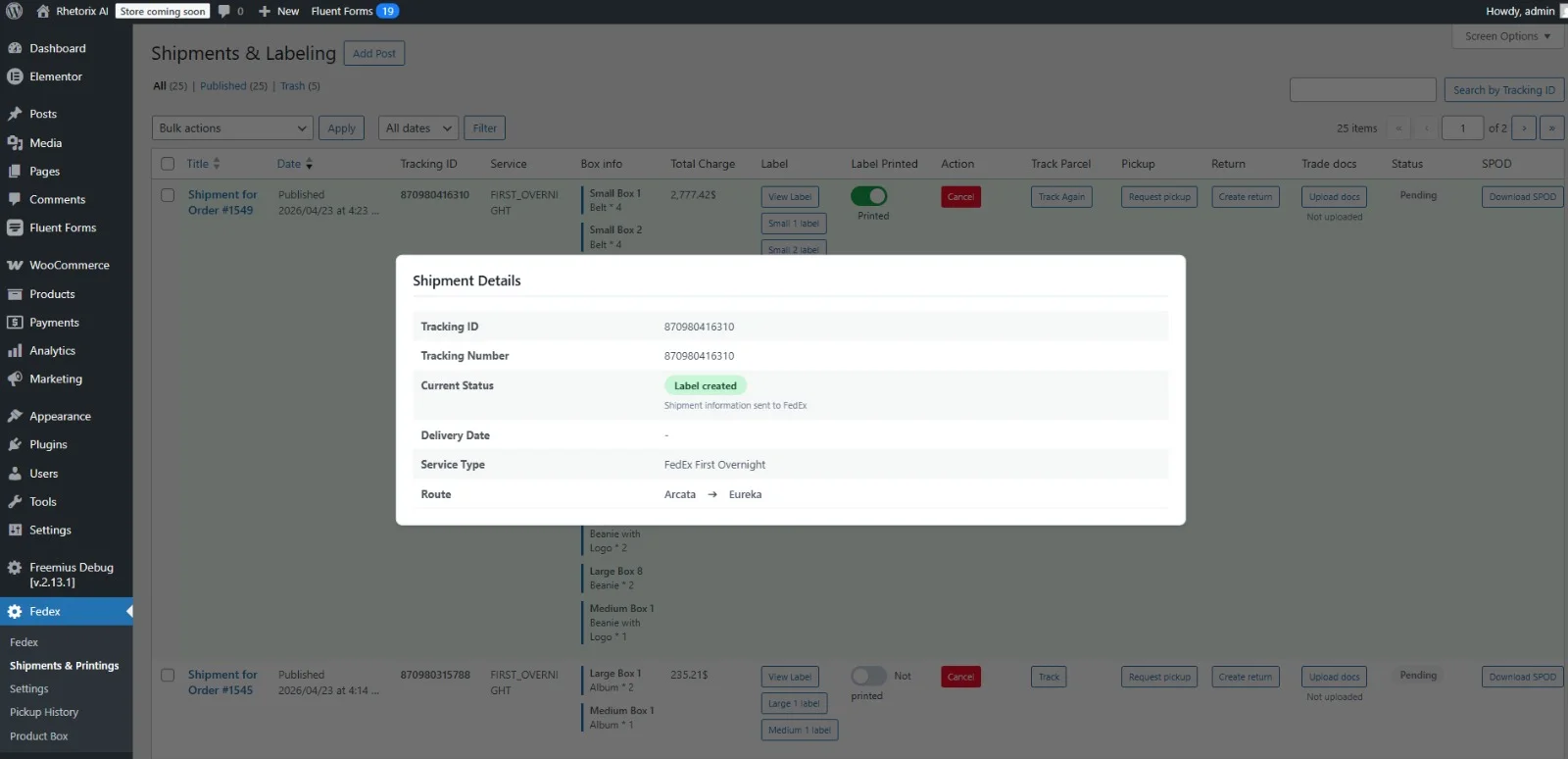
- Paperless ETD for international shipments. Auto-generates the commercial invoice from your line items, suggests HS codes, and uploads everything via Trade Documents Upload before the package leaves the warehouse. Detail: Auto-generate FedEx commercial invoices from WooCommerce.
- Hold-at-Location auto-redirect on failed delivery. When AIV reports a delivery exception, the plugin queries Locations Search and submits a redirect to the nearest FedEx Office without the customer needing to call FedEx. Detail: FedEx Hold-at-Location for WooCommerce.
None of these existed cleanly in the SOAP era. They are the upside of having to migrate.
Common questions
Why did FedEx live rates suddenly stop showing in WooCommerce?
Because the API your plugin calls no longer exists. FedEx ran SOAP and REST in parallel for years; on June 1, 2026 the SOAP production endpoints were switched off. A plugin built on SOAP now sends a request to a host that answers 410 Gone or nothing at all, WooCommerce receives zero rates back, and the checkout renders either “No shipping methods available” or a $0.00 FedEx line. Nothing changed in your store, your theme, or your FedEx account — the endpoint underneath moved.
Is this a WooCommerce bug or a plugin bug?
Neither, strictly. WooCommerce is doing exactly what it is told: it asks the shipping method for rates, gets an empty array, and shows nothing. The plugin is the layer that had to migrate, and the fix is at that layer — update it, replace it, or wrap it. That is also why disabling and re-enabling the plugin, clearing cache, or reinstalling WooCommerce changes nothing.
How long does the migration actually take?
Path 1 (your plugin already shipped a REST update) is a version bump and a credential re-entry — under an hour including a checkout test. Path 2 (switch plugins) is typically half a day, most of it spent re-mapping shipping zones and re-testing international carts. Path 3 (build it yourself) is two to four weeks of focused PHP work. Whichever you pick, install the fallback in Step 3 first — it takes ten minutes and stops the bleeding while you decide.
Can I keep taking orders while I migrate?
Yes, and you should. Add the flat-rate fallback from Step 3 before you touch anything else. It converts “customer sees no shipping option and leaves” into “customer pays an approximate rate you can reconcile later”. A slightly wrong shipping charge is a support email; a checkout with no shipping method is a lost order.
Will I lose my existing tracking numbers?
No. Tracking numbers belong to FedEx, not to your plugin. After migration, the same tracking numbers continue to work; only the integration that fetches their status changes.
Do I need a new FedEx account?
No. Your existing FedEx account is fine. You do need to register a developer project at developer.fedex.com to get OAuth client_id and client_secret. Most stores do this in 10 minutes.
Will my customers notice anything?
If you migrate cleanly: only that the rates and tracking come back. If the plugin you switch to is materially better (live timeline, push tracking, fewer ticket-triggers): they notice in a good way.
Is there a free option?
Yes. The basic REST APIs (Rates, Ship, Track) are free to use against your FedEx account. Advanced Integrated Visibility (AIV) webhooks are a paid FedEx subscription starting around $199/month — not strictly required, but the only way to get push-based tracking. Pay FedEx directly; no plugin marks this up.
What is the cost of doing nothing?
Conservatively: every shopper who hits checkout, sees no shipping method, and bounces is a lost order. For a store running 500 FedEx orders a month at $80 average order value, even a 5 percent silent abandonment rate from broken rates is $2,000 in monthly lost revenue. The migration takes a day. Math is unflattering.
What we are doing about it
Hemal Akhand (WordPress team lead at Teamz Lab — 5+ years, 1,200+ ThemeForest sales, custom WooCommerce plugins shipped) has been building a REST-first FedEx plugin for WooCommerce specifically against this retirement window for the last six months. All 15 FedEx REST APIs are integrated, the Migration Doctor catches breaking changes before they hit checkout, and the Safety Net keeps checkout alive even when FedEx itself returns errors.
Founder pre-sell is open: $9.99 fully refundable deposit reserves a lifetime founder spot at $349 (versus $79/year regular plan), capped at the first 100 sites. Refund any time. Backed by Teamz Lab LTD (UK-registered) under the UK Consumer Rights Act.
→ Reserve a founder spot for $9.99 (refundable any time)
Have a project in mind?